Ajay Kumar Verma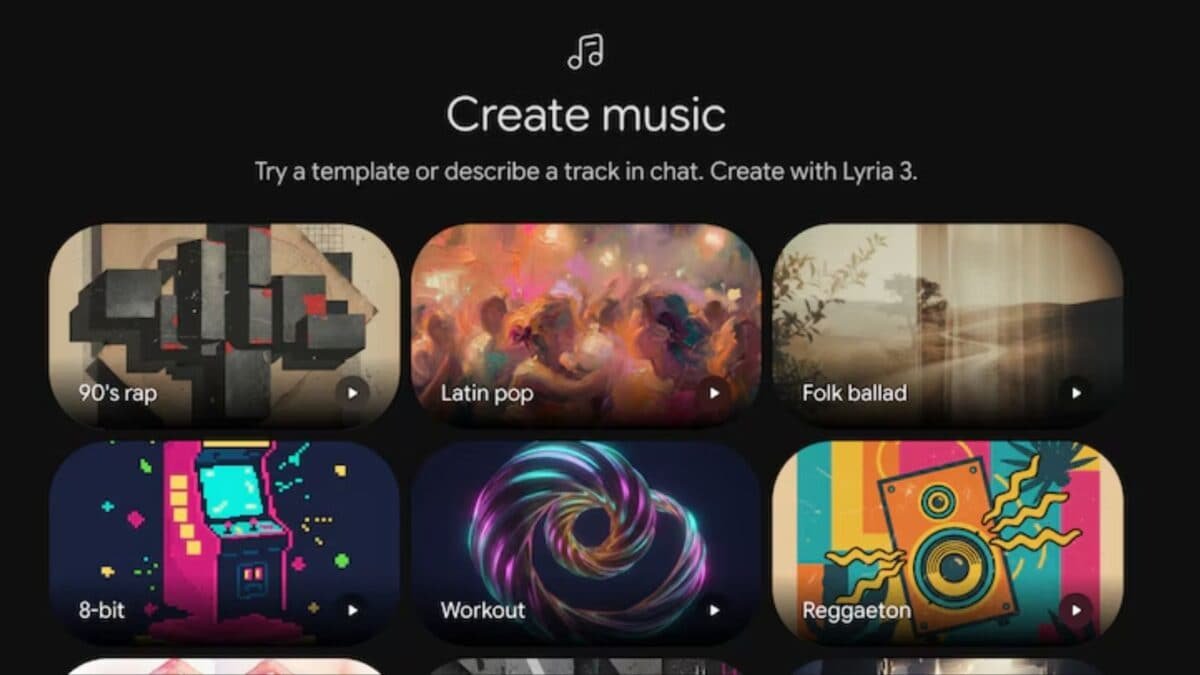
This feature can prove to be very useful for content creators, podcast hosts and professional users. At the same time, new users can also easily create music with the help of AI.
How does Gemini’s AI music tool work?
This tool from Gemini allows users to control music through text. Users can decide the genre, tempo, instruments and structure of the song as per their choice.
For example, the user can select any music style like synthwave, folk, rock or electronic. After this the AI prepares the complete track accordingly. The system can also create songs that are a few minutes long.
Keeping security in mind, Google has installed many filters in it. This system does not copy any artist’s voice or style and also protects from copyrighted content.
How to generate AI music?
- To create music with Gemini, users need to follow these simple steps:
- Open Gemini app
- Login with your account
- Select Music Tool
- type text prompt
- Decide genre, tempo and instruments
- Select song duration
- submit prompt
- AI will generate audio
- Download MP3 File
- share Link
What types of prompts can be used?
Users can give different types of prompts as per their need.
For example: Synthwave Music, Folk Tracks, Piano Based Instrumentals, Lo-fi Beats, Podcast Background Music
Users can also customize the prompt as per their choice.
there are some limitations
Google also adds watermark on this AI system so that the music can be identified. Additionally, some features and limitations may depend on the user’s subscription plan.
Gemini’s new AI Music feature can make music creation easier than ever. Now even without a professional studio or editing skills, users will be able to create songs with the help of AI.
Discover more from News Link360
Subscribe to get the latest posts sent to your email.