Ajay Kumar Verma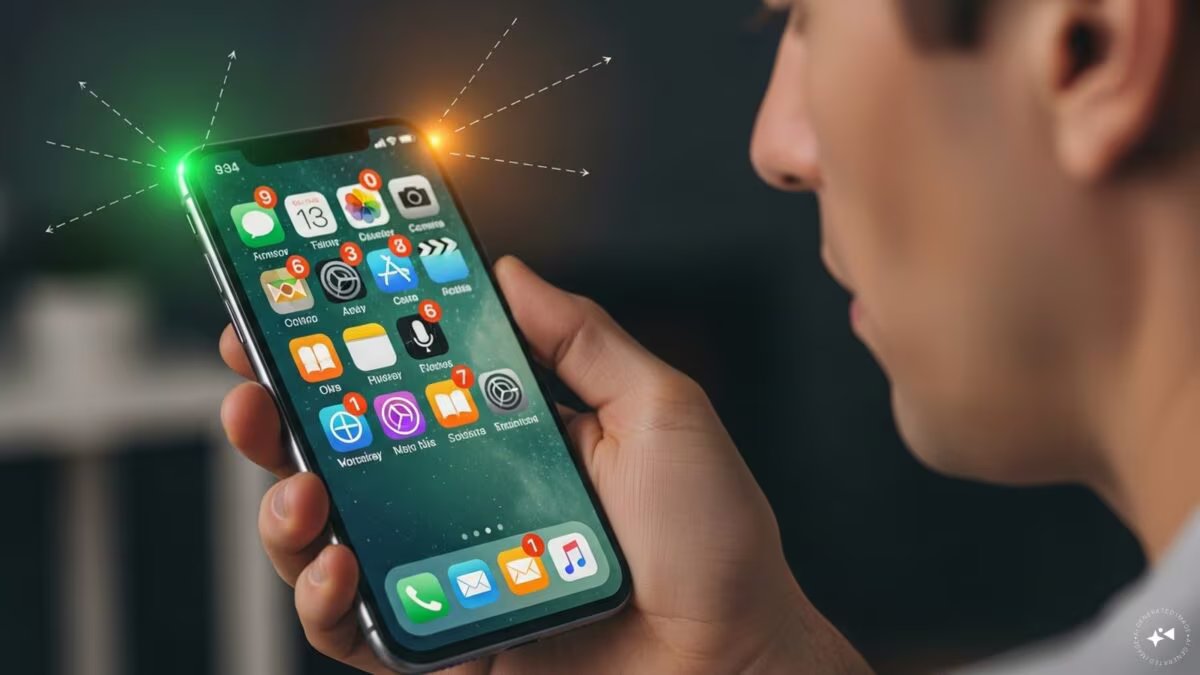

Last Updated:
People often get confused about the green, orange or yellow light that suddenly flashes on the smartphone screen. Actually, these lights are not a sign of your phone’s malfunction, rather it is a very important security feature related to your privacy and the status of the phone. To strengthen privacy, these indicators have been included in both Android and iOS operating systems, so that you can know which app is using your phone’s camera, microphone or battery at any time.


In today’s digital era, smartphone companies have become very strict regarding privacy. (AI)
New Delhi. Almost everyone uses mobile phones. But have you ever noticed that yellow, green or orange light suddenly flashes on the mobile screen? Nowadays, there are many phones in the market in which this type of light is visible. Do you know why this happens? Actually, these lights visible on the mobile phone screen are indicators in a way. Yellow, green or orange light does not mean any fault in the mobile, rather these lights are indicators of your privacy.
In today’s digital era, smartphone companies have become very strict regarding privacy. This is why whenever you run an app in the background or foreground that accesses your camera or microphone, a green or orange dot immediately starts glowing in the upper corner of the screen. For example, a green dot appearing on the screen means that an app is using the camera at that time, as seen when opening WhatsApp video call, Instagram and Snapchat camera.
Orange dot lights up when microphone is used
Similarly, orange dot means that some app is using your microphone. This usually appears during audio recording, normal phone calls or Instagram Reels recording. Simply put, the green and orange dots let you know which app is accessing your camera and microphone. These features have been inbuilt for the safety of users on both Android and iOS platforms.
Yellow light gives alert of low battery
Apart from these two, sometimes yellow light is also seen on the mobile phone screen. This yellow light indicates that the phone’s battery is getting low and the phone has gone into low power mode. This is a kind of alert for the user so that the phone can be charged in time. So overall, these yellow, green and orange colored lights and dots keep you updated every moment about what is going on inside your phone. Next time these lights flash on your phone screen, pay attention to them. With this you can easily find out whether any third party app is secretly using your mic or camera in the background without your permission.
About the Author

Sushant Sinha has more than 20 years of experience. Sushant has great experience of working in big news networks like Times Network, NDTV, News24 and India TV. He played important editorial and on-air anchoring roles in his career.read more

Discover more from News Link360
Subscribe to get the latest posts sent to your email.