GPay Pocket Money: The biggest feature of Google Pay Pocket Money is that through it even a person who does not have a bank account can make UPI payment. Children and elderly people are benefiting a lot from this feature working on NCPI’s UPI circle. What is Google Pay Pocket Money and how does it work, let us know..
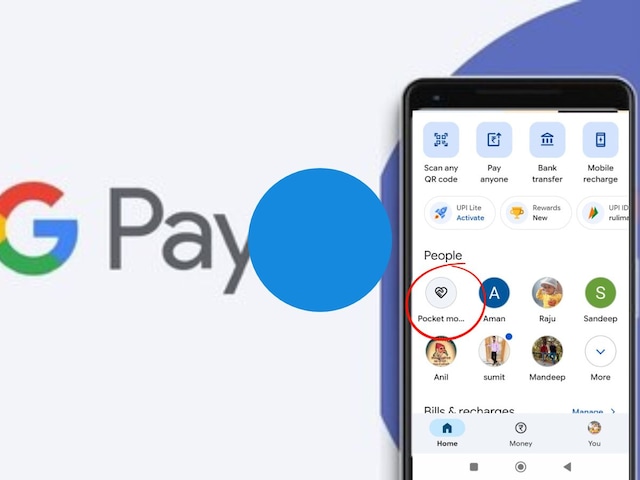

In Zee Pay Pocket Money you can set a monthly limit for secondary users.
New Delhi. UPI has emerged as the most popular method of digital payment in India. Since the launch of this payment system in 2016, many features have been added. In this series, now your friends or family members can also make UPI payment from your bank account. The name of this feature is UPI Circle. In this feature, UPI account holder can allow other people to make payment from his account. This feature is available on Google Pay under the name Pocket Money. This facility is a boon for those whose children, elders or helpers do not have a bank account and want to provide them the facility of online payment.
The biggest feature of Google Pay Pocket Money is that the person sending money (Primary User) gives the power to make payment to another person (Secondary User) through his bank account. Full care has been taken of security in this. In this, spending limits can be set and there is an option to approve every payment. That means you have the option to approve or reject every payment made by the other person.
What is ‘Pocket Money’ or UPI Circle in GPay?
This is a facility through which a primary user can give access to the UPI linked to his bank account to another person (secondary user). This means that the secondary user will be able to make payments using your bank balance, but his limit and control will be completely in your hands.
What is meant by primary and secondary users?
Primary User: The person who has an active bank account on Google Pay and is responsible for the payment. Secondary user is a person (like your child or friend) who does not have his own bank account, but wants to make UPI payments through your account. You can add up to 5 secondary users.
What is mandatory to start Google Pay Pocket Money?
To add a secondary user, the other person’s number should be saved in your contacts. Google Pay app should be registered in their phone. They must have their UPI ID or UPI Circle QR code.
What is the pocket money limit on Zee Pay?
In Zee Pay Pocket Money you can set a monthly limit for secondary users. You can set a maximum monthly limit of up to ₹15,000 for the secondary user. Within this limit they can make payments without your repeated permission.
How to approve pocket money transaction on Zee Pay?
If you have not set a monthly payment limit, then you can choose the option to approve every payment. In this, whenever the secondary user makes payment, you will receive a request. The transaction will be completed only after you enter the PIN.
How to set up Google Pay pocket money?
- Open the GPay app and go to Profile → UPI Circle → Set up pocket money.
- Select the name or number of the person you want to add.
- Scan the UPI Circle QR code of the person you want to add.
- Choose your preferred setting (monthly limit or approve every payment).
- Enter your details and secondary user information, like relationship with you and his/her Aadhaar number.
- Send the invite by entering your UPI PIN.
Why is KYC and verification important?
As per security and government regulations, it is mandatory to verify the identity of the secondary user. For this you have to give information related to their identity. The bank uses this information to keep records so that any wrong transaction can be tracked in future.
Discover more from News Link360
Subscribe to get the latest posts sent to your email.