In today’s post, educators will share their perspectives on the topic.
‘Tech When It Matters, No Tech When It Doesn’t’
Rose Hill is a veteran middle school reading and language arts teacher with 10 years of classroom experience. She is also an eduinfluencer on social media under the name @PearlsOfPedagogy:
The question of how much technology to use in the classroom is one I wrestle with daily.
My short answer? Use it when it’s intentional and purposeful, not just because it’s available.
As both a teacher and a parent, I’m hyperaware of how much screen time kids already get. In middle school, most of my students have cellphones glued to their hands, and even with Texas’ recent ban on student phone use during the school day, I know they’re still logging hours on screens before and after school. That means in my classroom, I want to be extra careful about when and why I ask them to pull out a device. A lot of the time, the only screen they look at in my class is the smartboard.
Print Isn’t Dead
Each of my students keeps a folder we set up together at the beginning of the year. It holds the basics: school calendar, bell schedule, testing dates, a campus map, and other logistics they might need at their fingertips. That way, when they ask, “What time is lunch?” or “When’s the benchmark test?” I can point them back to their folder instead of defaulting to a digital device. I even keep a big analog clock on my wall—whether they can read it or not is another conversation!
Tech Where It Counts: Feedback and Efficiency
Where I do lean on technology is in grading efficiency. With 160-plus students, I don’t have time to manually grade every paper assessment and still return meaningful feedback within days. One tool that’s been a game-changer for me is ZipGrade. It lets me create custom scan sheets tied to specific standards. My students still take pencil-and-paper quizzes, but I can scan and grade them in seconds, then immediately see data broken down by question and skill. That’s purposeful tech use—it saves me time and gets feedback to students quickly, without adding more screen time for them.
Planning For Tech-Free Engagement
The truth is, running a classroom that’s not screen-dependent takes more planning on the front end. But the payoff is worth it. I love creating tactile, movement-based activities that keep kids engaged without ever logging in. For example:
- Mystery envelopes with tasks, questions, or passages hidden inside.
- Capture the flag with worksheets, where students race to “capture” answers by solving problems.
- Station rotations where they read, write, and collaborate using paper, markers, and manipulatives.
These kinds of activities get students talking, moving, and thinking—and I never hear, “The Wi-Fi is down, so what do we do now?”
Start Small: Tech-Free Tuesdays
For new teachers, my advice is simple: Start small. When I first tried scaling back tech, I began with Tech-Free Tuesdays. My Chromebook cart stayed locked, and students knew we’d be working analog-style all period. Over time, I expanded that into a broader rhythm of purposeful tech use throughout the week. The consistency helped my students adjust, and it kept me accountable to my own goals.
Backup Plans Are Nonnegotiable
If your district has shaky internet or you’ve ever been hit with a surprise outage, you know the frustration of a tech-heavy lesson falling apart. My solution is low-tech: I keep a flash drive loaded with all my lesson slides and any videos I’ll need. If the internet dies, I can plug in and keep going without skipping a beat. The kids don’t even notice, and I don’t lose instructional time.
The Bottom Line
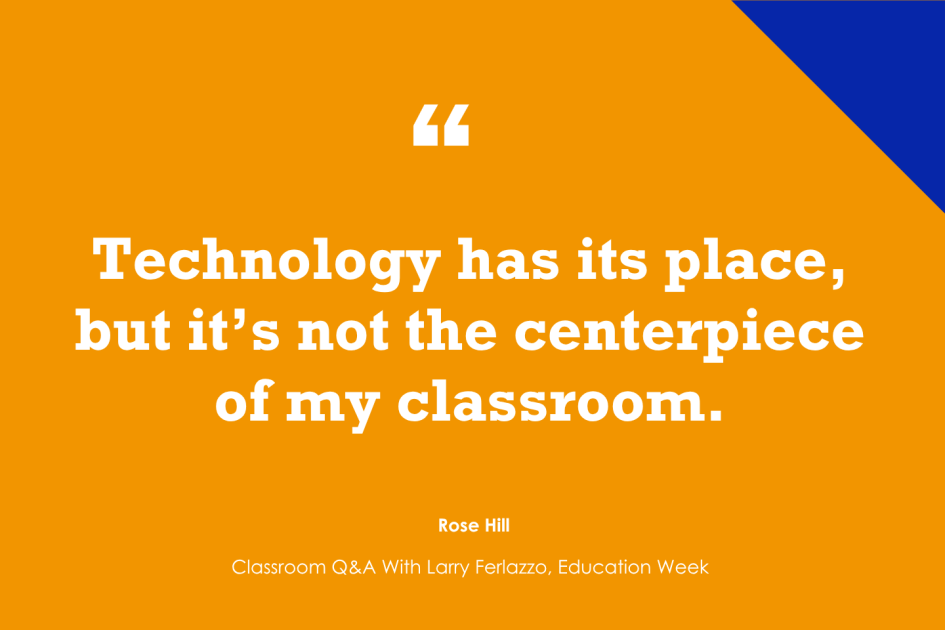
Technology has its place, but it’s not the centerpiece of my classroom. It’s a tool—not the teacher. I use it when it streamlines feedback, supports learning goals, or saves time. But when I want students to wrestle with ideas, collaborate, or simply read and write without distraction, we go old school.
The balance comes down to this: tech when it matters, no tech when it doesn’t. And honestly? My students are better for it.

‘AI-Proof Assignments’
Jason Cowley is a national-board-certified ELA teacher and a former instructional coach with more than 18 years of experience in the classroom.
Aaron Blackwelder is an educator and contributor to Spectrums Magazine, with over 25 years of experience in public education, now empowering students and teachers to use AI and other digital tools through project-based learning and professional development.
They are the authors of Future-Ready Teaching With AI:
When we ask educators what skills they want students to possess upon graduation, they rarely mention rote memorization. Instead, they cite critical thinking, problem-solving, collaboration, communication, and civic responsibility. These are the qualities that prepare learners for the greater world. Yet, a significant disconnect exists: Many classroom assignments still focus on low-level tasks, such as multiple-choice questions or fill-in-the-blank worksheets, that don’t foster these skills.
This problem has been amplified by the rise of generative AI. In a piece in the Hechinger Report, 11th grade student Benjamin Weiss points out that students are using tools like ChatGPT to complete homework, seeing it as “work smarter, not harder.” Rather than reflecting on the value of their assignments, many teachers react by using AI detection tools and threatening poor grades. This approach is flawed; it fails to prepare students for a world that expects them to use technology and introduces significant risks.
The Flawed Logic of Banning AI
The immediate reaction to students using AI is often to ban it or use detection software. However, these detection tools, while claiming high effectiveness, have a significant margin of error. For example, a 15-point margin of error means a teacher with 120 students and five essays could face up to 90 false positives. Accusing a student of cheating when they have worked hard can damage the student-teacher relationship. These traps set students up for conflict and undermine the relationships essential for learning.
Instead of trying to catch students, educators must design assignments that are “AI-proof.” This requires understanding what generative AI can and cannot do. AI excels at tasks that involve simple recall, summarization, and formulaic problem-solving. It can:
- Match terms and definitions
However, AI cannot replicate the unique, personal, and critical thinking that is at the heart of learning. AI cannot:
- Write a truly personal response
- Engage in an in-person debate
- Design a local place-based solution
- Conduct independent research
By moving away from assignments that AI can do, educators can inspire meaningful learning. These kinds of assignments promote the higher-order thinking skills that teachers value most.
Building Assignments That Value Process and Original Thought
To design “AI-proof” assignments, educators should focus on higher-level thinking skills. Frameworks like Bloom’s Taxonomy or Webb’s Depth of Knowledge can help ensure students are challenged to create thoughtful, original work.
For example, in a high school English class, instead of just assigning an essay on a book, a teacher could create a project that includes the essay as one component, alongside an oral interview or a Socratic seminar. This approach forces students to engage with the material on a deeper level and demonstrate understanding in a way that AI cannot.
Similarly, a math class can move beyond solving equations from a textbook. A more valuable assignment might ask students to solve a real-world problem, such as calculating the potential income needed to start a YouTube channel as a full-time job. Students would justify how the math supports their conclusions in a brief conversation with the teacher. These projects require students to apply their knowledge in a novel context, showcasing their thinking and problem-solving skills.
Shifting to a Coaching Mindset
Effective teaching is not just about grading a final product; it’s about guiding the learning process. Educators should adopt a coaching mindset, assessing student work and thinking as it happens.
For instance, if students are writing a paper, an educator can spend a portion of each class period conferencing individually with students about their progress. This allows students to ask questions and get immediate feedback. It also enables the teacher to see the students’ thinking in action. If a student is using generative AI, the teacher can coach them on how to use it as an ethical and effective tool, rather than a crutch. This human interaction is a cornerstone of effective teaching and is what balances the use of technology in the classroom.
The ultimate goal is to balance technology use with critical thinking and increased human-to-human interaction. By designing assignments that demand critical thinking and by adopting a coaching mindset, educators can prepare students to be confident, capable, and ethical technology users in their future.

‘Meeting in the Middle’
Alicia Meyers is a 2nd grade teacher in the District of Columbia with over 16 years of experience in Title I schools and the author of The A-To-Z Teaching Toolkit. To learn more about Alicia, visit www.heyaliciamae.com or find her on Instagram, X, or Bluesky @byaliciameyers:
In one corner: the buzz of voices, the appeal of glitter glue, and the smell of freshly sharpened pencils. In the other: audiobooks, the captivating brightness of interactive whiteboards, and the clickity-clack of keyboards. It’s the tug-of-war of tech versus nontech in the modern classroom. But what if we dropped the “rope” and met in the middle?
In a world of blue light glasses and silencing notifications, many want to be cognizant of screen time and the overuse of technology. As teachers, we can bring out the best in each platform to strengthen our learners as they navigate the modern world. Here are some ways to create balance as we debate between screens and sticky notes.
Start with the why, not the Wi-Fi: Every lesson, tech or nontech, needs a clear purpose, link to prior knowledge, and connection to the real world. Take the time before every lesson to present the objective, ask students what they already know, and discuss how this topic could help them in their everyday life. Use the five senses to explore. For example: When learning about animals that live in the desert, let students close their eyes and reach inside a bag filled with dry rice, sandpaper, and a hand warmer. Ask them how they think animals survive in a place that feels like this.
Pencils before portals: Make a point to start the day or begin a lesson by putting pencil to paper. Can students journal about a topic, write a question on a sticky note, draw a picture about what they already know, or write down their prediction?
Digital or discovery days: Designate days that are technology-heavy and days focused on discovery and exploration through hands-on learning. Maybe Thursdays are always “digital day,” and a large chunk of time is spent on devices using required platforms, and Fridays are “discovery day” so time is spent at centers using manipulatives and art materials. On other days, when planning workstations or learning centers, ensure there is a balance between digital, tactile, collaborative, and creativity-based tasks.
Power-down time: Build in short tech-free blocks where kids can take a socially-rich brain break and use puzzles, blocks, and puppets or play partner-based games. Face-to-face socialization is crucial for our kids as they sharpen communication skills, build relationships, and practice conflict resolution.
Mix it up to make it stick: Pair technology-based tasks with hands-on activities to provide balance within each lesson. For example: After a digital read-aloud, have students draw their favorite scene or act it out. If students are learning a new math concept using individual whiteboards, allow additional practice on a digital platform or interactive whiteboard. Demonstrate that using technology is one way to explore and learn, but it’s not the only way.
Digital deputies: Build responsibility around the use of technology by creating technology-based student jobs such as tech support, charging chief, log-in leader, or digital timekeeper. Student jobs foster independence and inspire leadership. Train students on how to troubleshoot platforms and devices and allow them to teach their peers.
Pick your platform: When assigning homework or independent tasks, offer flexibility in how students choose to submit. For example: Can the PDF version of your assignment be both printed and added to a digital platform such as Seesaw or Google Classroom? Can students choose to complete it by hand or on their device? Can they complete their work using paper and pencil, take a picture of their completed work, and upload it to a digital platform?
Mix modalities: Mix the learning modalities—visual, auditory, reading/writing, and kinesthetic—within each lesson/task. For example: After students write a story by hand, can they type it on the computer? Can they use physical books to research a topic and create a slideshow to share their findings? Can they solve a math problem and record a video explaining how they solved it?
Technology is ever evolving. Let’s prepare our students to be versatile. Continue to teach in the ways you do best; however, find areas where technology can enhance learning in a way that paper and pencil cannot and vice versa. What does meeting in the middle look like in your classroom? How can you bring out the best in each platform?

Thanks to Rose, Jason, Aaron, and Alicia for contributing their thoughts.
Responses today answered this question:
What is your thinking about, and what are your strategies for, balancing tech and nontech use in the classroom?
Consider contributing a question to be answered in a future post. You can send one to me at lferlazzo@epe.org. When you send it in, let me know if I can use your real name if it’s selected or if you’d prefer remaining anonymous and have a pseudonym in mind.
You can also contact me on X at @Larryferlazzo or on Bluesky at @larryferlazzo.bsky.social
Just a reminder; you can subscribe and receive updates from this blog via email. And if you missed any of the highlights from the first 13 years of this blog, you can see a categorized list here.
Discover more from News Link360
Subscribe to get the latest posts sent to your email.